Getting started
How do I set up my baby?
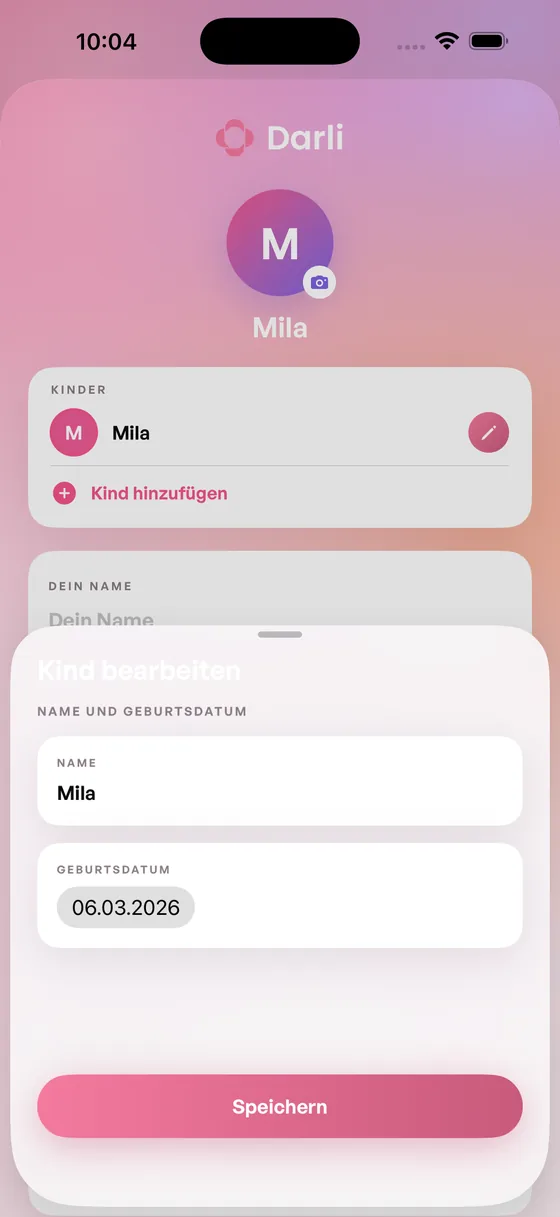
Can I add more than one child?
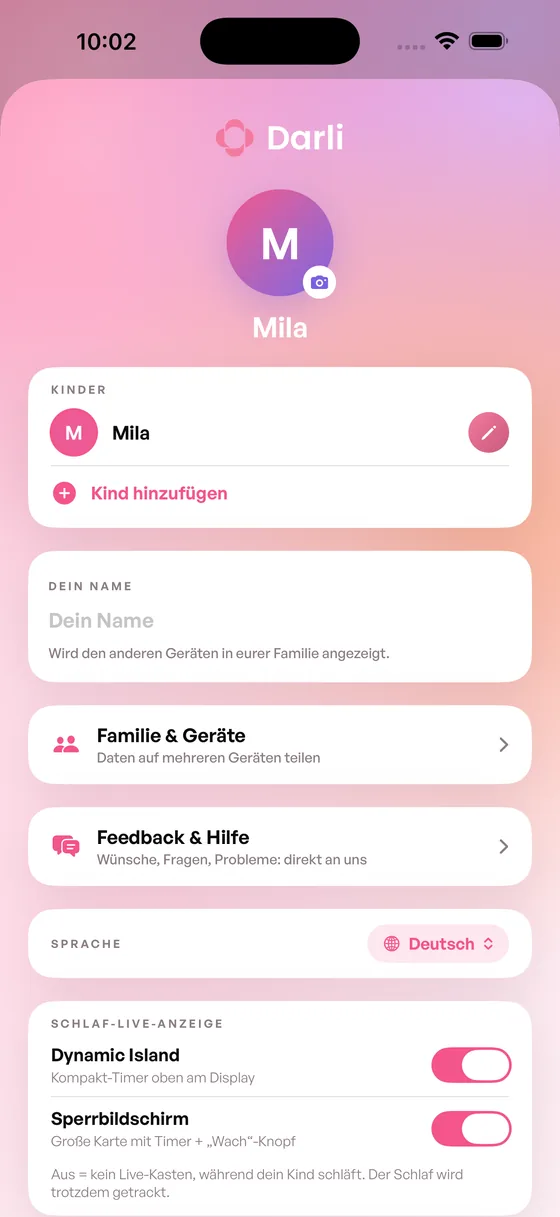
How do I change the language?
Do I need an account?
No. You can start using Darli right away – no sign-up, no email address, no password.
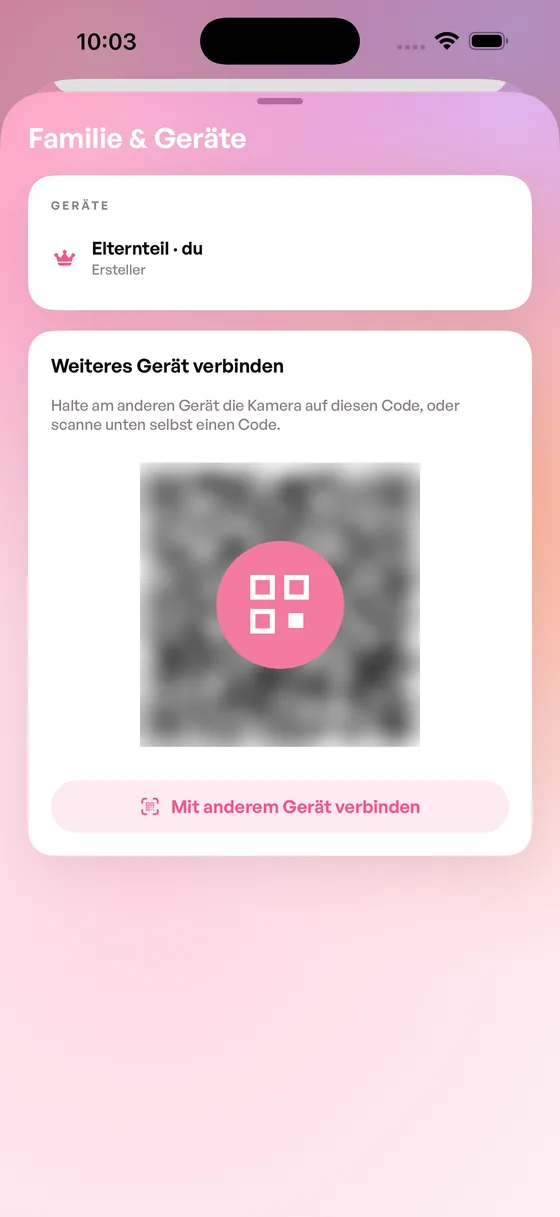
Sharing with your partner doesn’t need an account either: the devices are connected directly via a QR code.
Logging day to day
How do I log sleep?
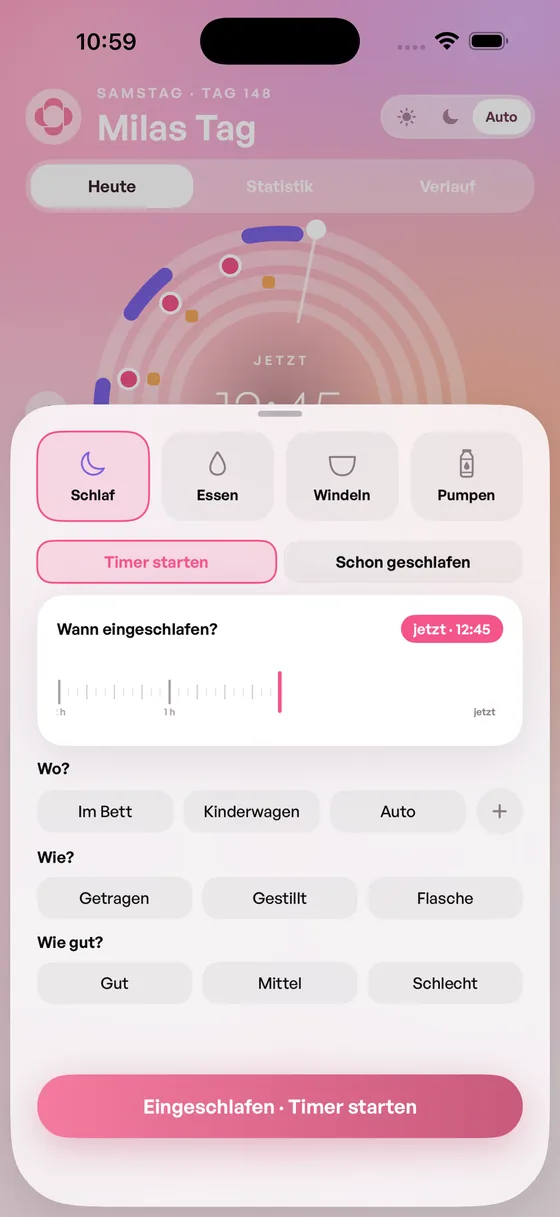
Tap the plus button, then Sleep. You have two ways: start the timer while your child is falling asleep, or “Already slept” if you’re adding it afterwards.
You can also note where your child slept (bed, stroller, car), how they fell asleep (carried, nursed, bottle) and how well they slept. All of that is optional.
I forgot to log something. Can I add it later?
Yes, and that’s the normal case, not the exception. When you log something, the time starts at “now” and you simply slide it back along the timeline until it’s right.
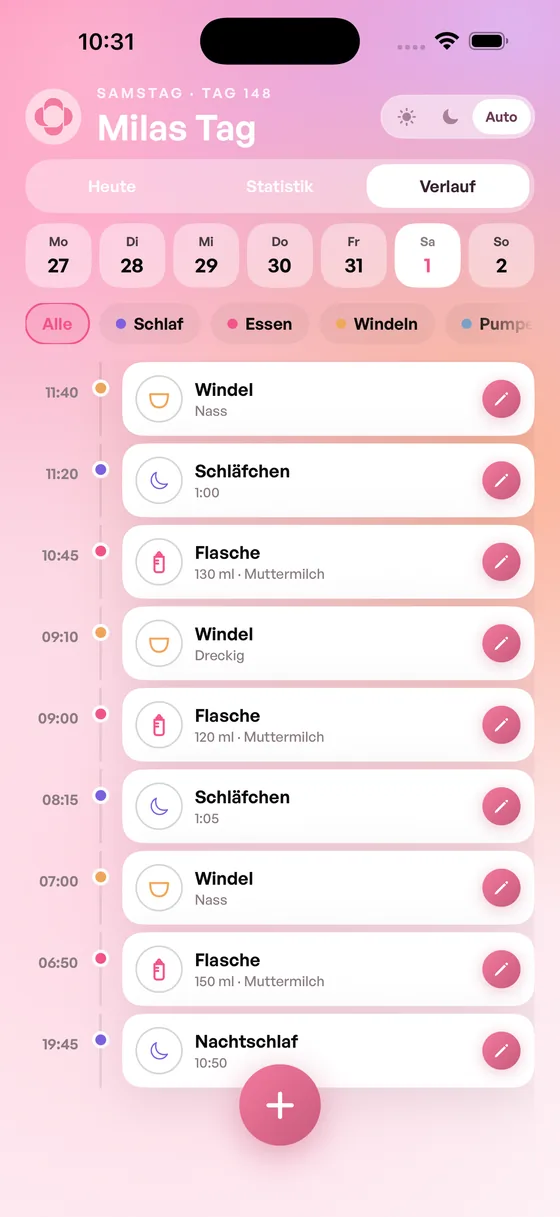
To change something you’ve already logged, go to the History tab: every entry of the day is listed there, and the pencil next to it lets you correct it.
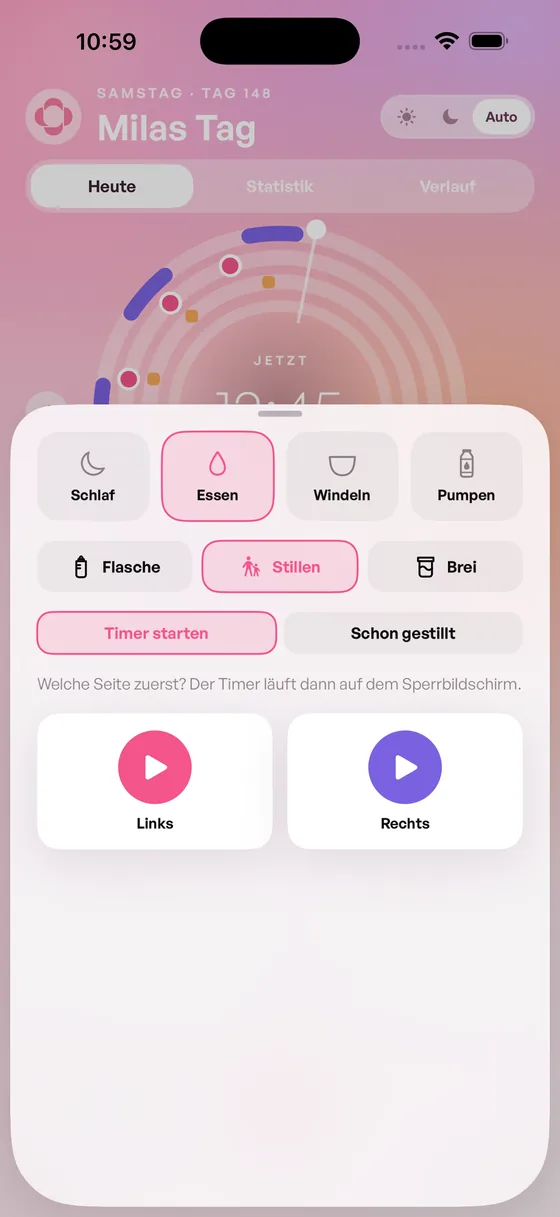
How do I log nursing?
Tap the plus button, then Feeding → Nursing. You either start the timer or add it afterwards with “Already nursed”.
You pick the side with Left and Right. A running timer shows on your lock screen, so you don’t have to keep the app open.
How do I log bottles and solids?
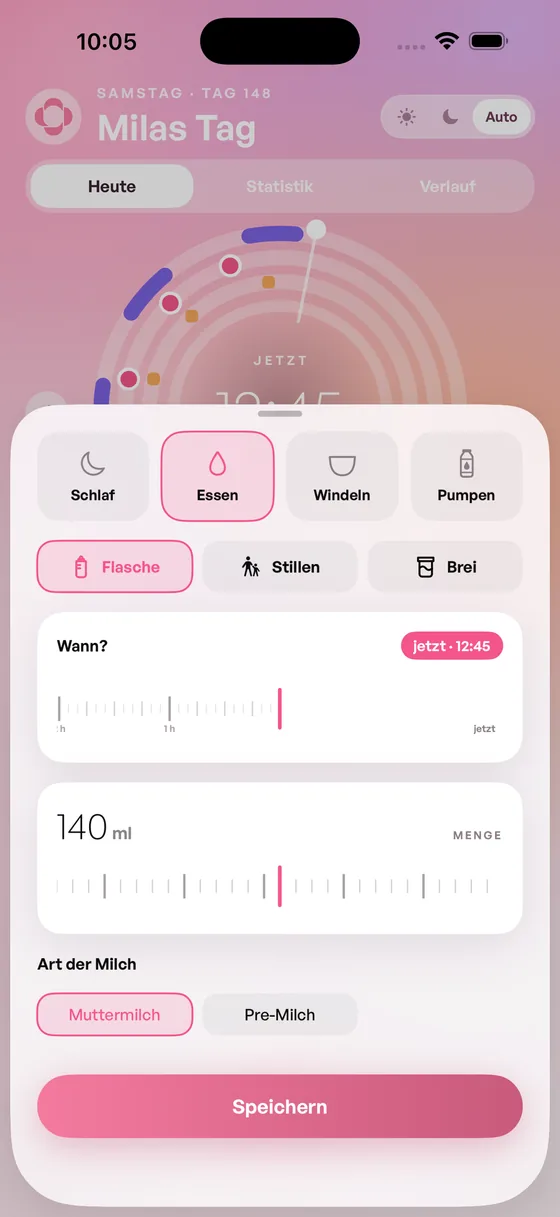
Tap the plus button, then Feeding, and pick the type: Bottle, Nursing or Solids.
For a bottle you enter the amount in millilitres and choose whether it was breast milk or formula.
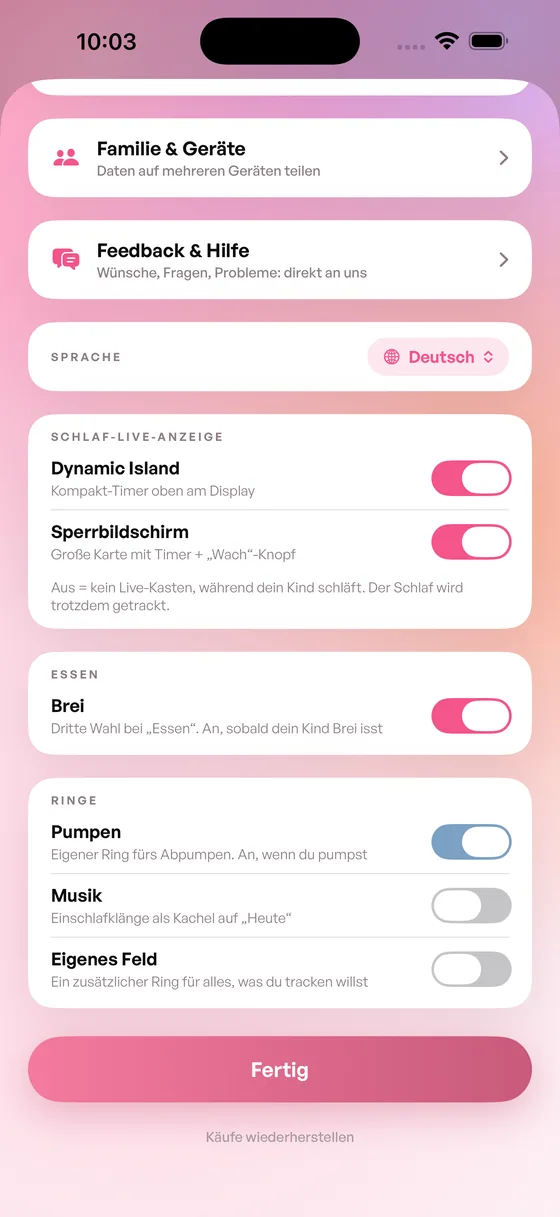
Solids only appear once you switch them on: Settings → Feeding → “Third option for feeding”. That keeps the choice simple for as long as your child isn’t eating solids yet.
How do I log diapers?
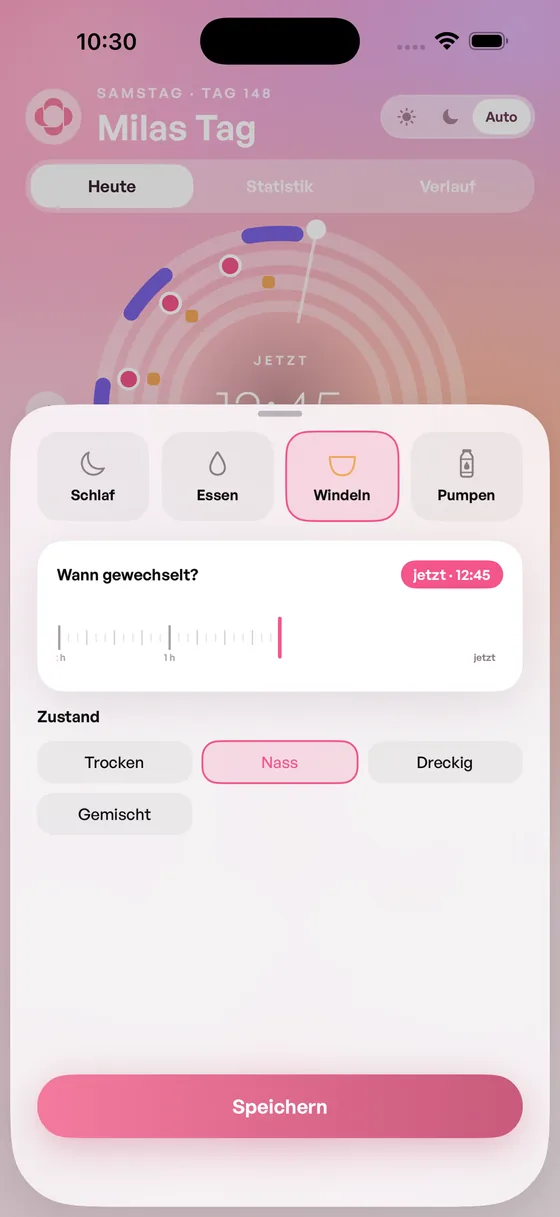
Tap the plus button, then Diapers. You pick the state: Dry, Wet, Dirty or Mixed. The time starts at “now” and can be slid back if you’re adding it later. There are no more steps than that.
Can I set up my own reminders?
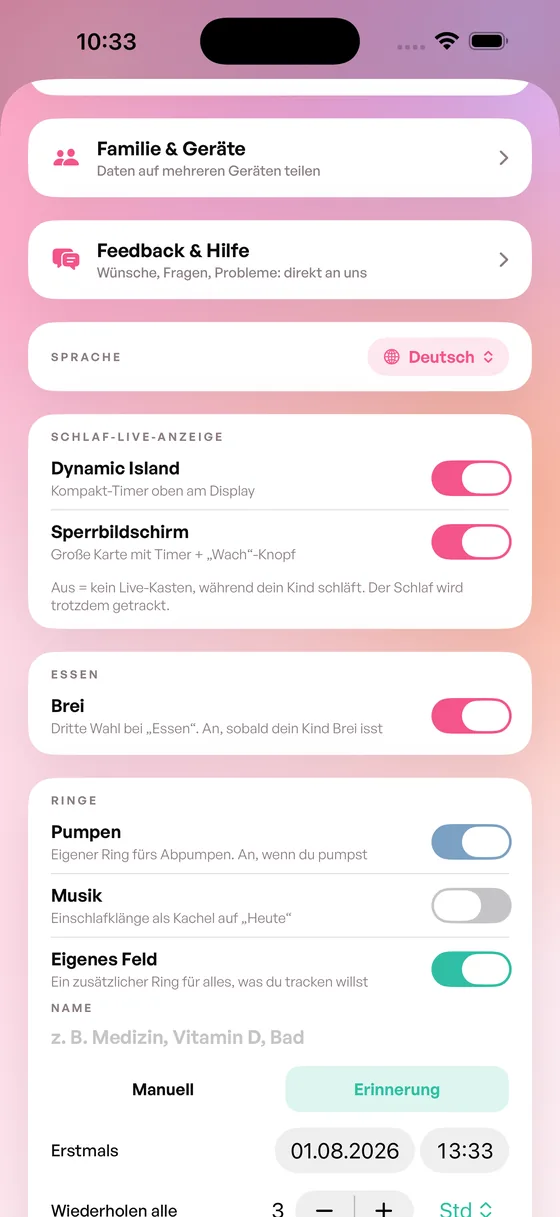
Yes. In the settings under Rings, switch on Custom field and give it a name – vitamin D, medicine or bath time, for example. It’s off by default.
Then you choose how it should behave:
- Manual – you log it yourself whenever it happened.
- Reminder – you set when Darli reminds you the first time and how often it repeats.
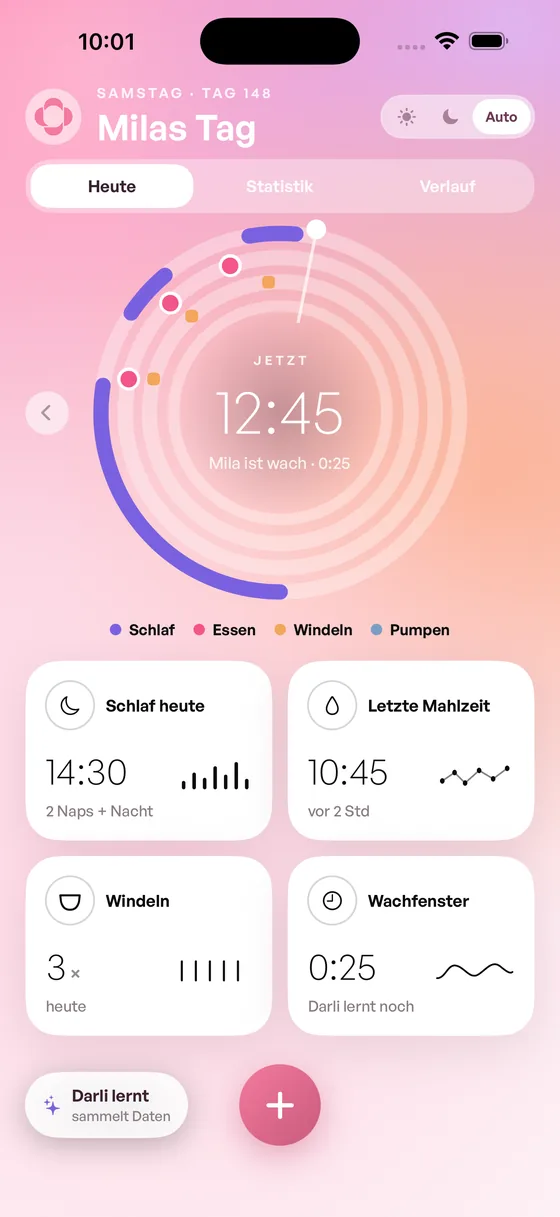
The field gets its own ring on “Today”, just like sleep, feeding and diapers.
Day ring & wake windows
What does the day ring show me?
How does the wake window prediction work?
Why is the prediction sometimes off?
Partner & second device
How do I share Darli with my partner?
In the settings under Family & devices. The first device shows a QR code there, which the second device scans – using the “Connect another device” button. After that you both see the same thing.
What happens if we both log something at the same time?
How do I disconnect a device again?
Connected devices are listed in the settings under Family & devices. As long as only your own device is connected, there’s nothing there to disconnect.
If you want to end a connection and can’t work it out, write to us at info@darli.app.
Widgets
How do I get the widget onto my home screen?
My widget isn’t updating.
Subscription & purchase
What does Darli cost?
How do I cancel?
I have a new iPhone. How do I get my subscription back?
Can I share the subscription with my family?
Data & account
Where is my data stored?
Can I export my data?
How do I delete my data and my account?
Darli doesn’t need an account, so there’s no account to delete. Your entries live on your device: if you delete the app, they’re gone with it.
If you’ve used the connection to a second device, your entries are also stored with us in synced form. In that case just write to us at info@darli.app – we’ll delete them and confirm it to you.
Something isn’t working
Syncing is stuck.
I’m not getting notifications.
The app crashes.
How do I report a bug or request a feature?
Quickest is straight from the app: Settings → Feedback & help. Requests, questions and problems land directly with us there.
Or by email to info@darli.app. Do be specific about what happened. Feature requests are genuinely welcome – a lot of Darli came out of messages like that.
We haven’t covered that yet. Feel free to write to us directly.
Write to us
We usually reply within two working days.
info@darli.app